One sentence can route work to the right place
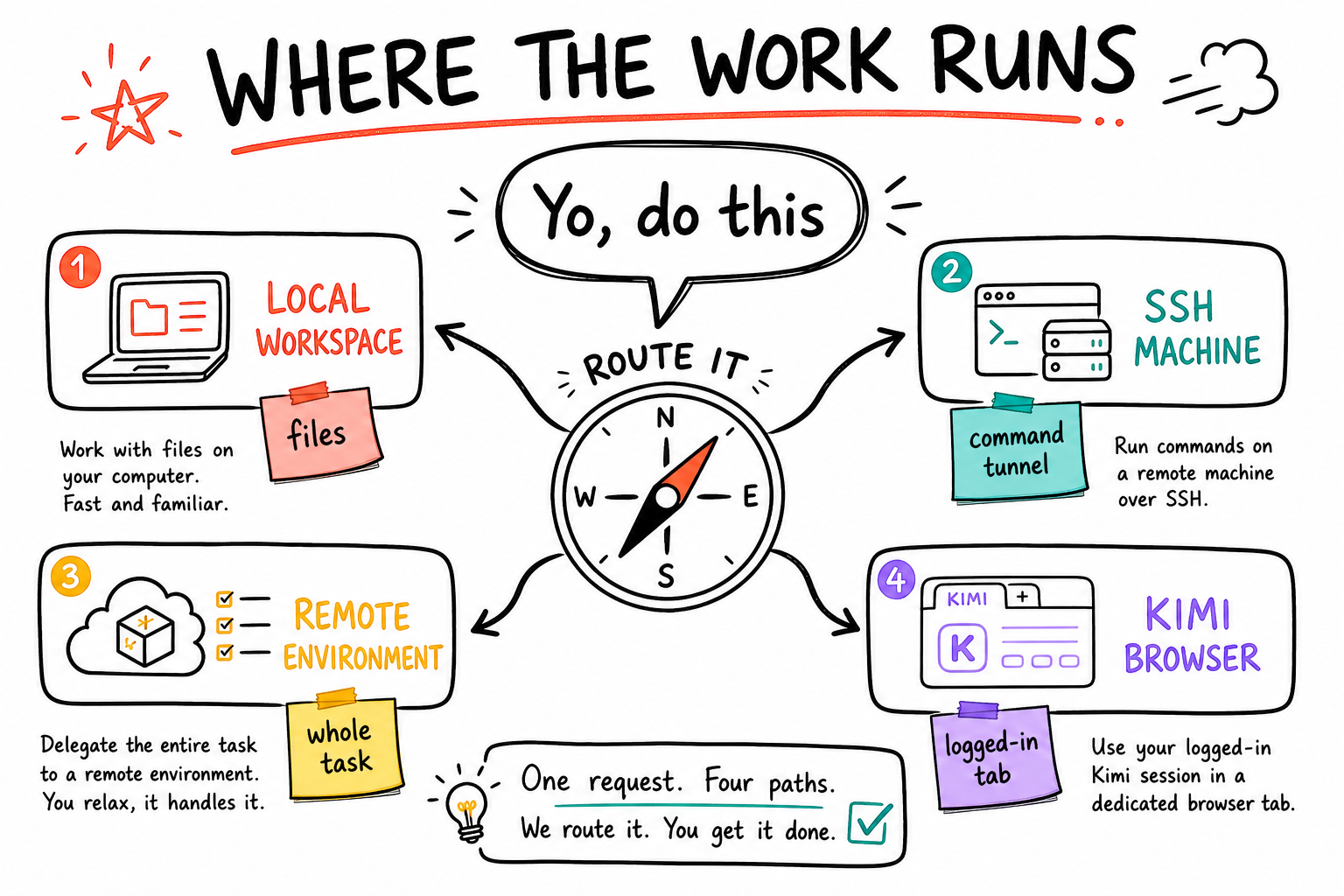
You do not normally need to leave this task just because the work belongs on another machine. Tell the agent the host, exact project path, outcome, and proof. It can use SSH for a bounded action, Herdr for persistent or multi-agent work, or a connected environment when the whole task belongs on that machine. Browser work is routed separately to the right local or cloud browser lane.
- Local workspace: fastest for files already mounted in this task.
- SSH: send a bounded command or job to a reachable remote host.
- Herdr: the persistent cockpit for agents, tests, logs, and detached work.
- Browser router: choose Codex in-app, Codex Chrome extension, Kimi, Playwright, or a fitting cloud lane.
Yo, use SSH host vps1. Work only in /path/to/project. Run the requested job there, do not touch this Windows workspace, and bring back the command output plus git status.ssh vps1 "hostname && pwd && git -C /path/to/project status --short"SSH is a secure command tunnel, not a context switch
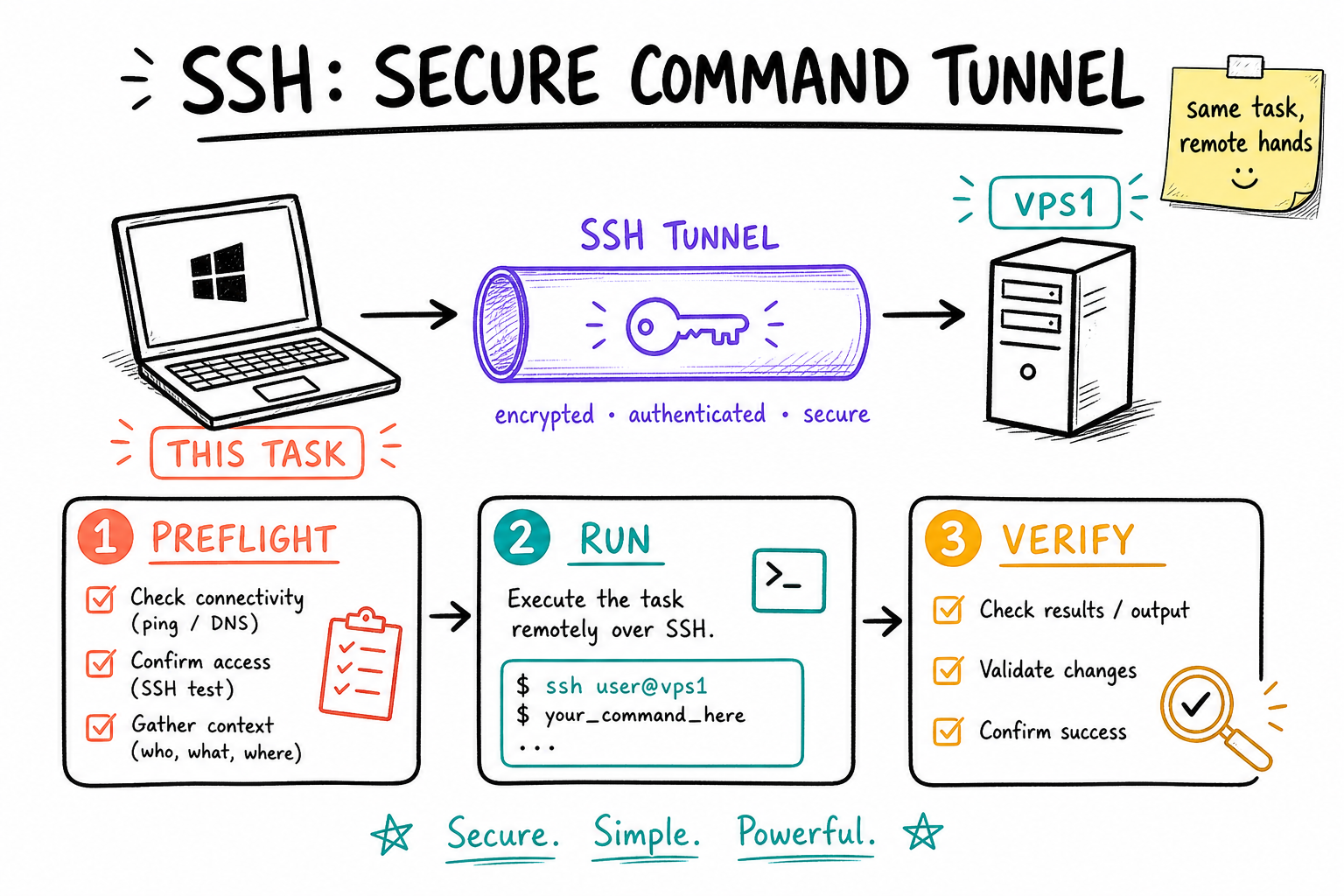
Your SSH config already contains named aliases such as vps1, vps2, vps3, mac, hp-big, hp-small, server, ava, and agent runtime hosts. An alias hides the address, username, and key selection. Codex can call that alias, run one command or launch a detached job, then verify the result on the same remote side.
- Use aliases, not raw IP addresses, so routing stays maintainable.
- Start with hostname, identity, directory, and git status before changing anything.
- For long jobs, use tmux or a service so disconnecting does not kill the work.
- Create and verify remote files on the remote side. Do not mix local and remote path assumptions.
ssh <alias> "hostname; whoami; pwd; git -C '<remote-project>' status --short"Run this on SSH host <alias> in <remote-project>. Preflight the host and repo first. Launch the long job detached in tmux, give me the tmux session name, then verify it is still running before you tell me I can close this task.Herdr keeps remote agents visible and running
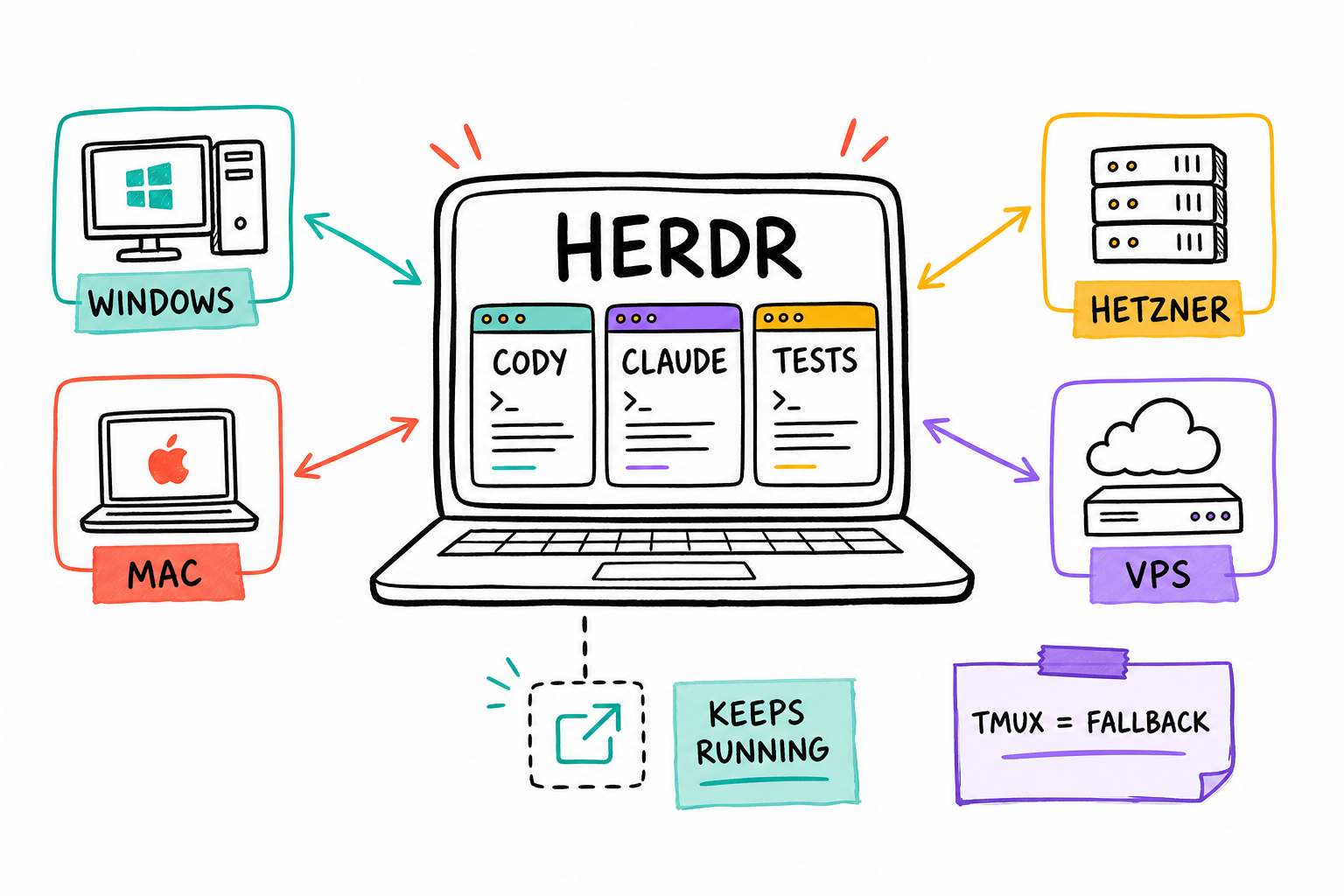
Herdr is the primary orchestration and monitoring surface where it is installed. One workspace maps to one repo or task. Roster-named panes run Codex, Claude, Hermes, or another agent, while plain panes run tests, servers, and logs. You can detach without killing the work, then reconnect and see which pane is working, idle, blocked, or done.
- Use Herdr for long jobs, multi-agent work, monitoring, and clean resume paths.
- On Windows, SSH to the selected host and run Herdr there.
- Use agent panes for agents and plain panes for commands, tests, and servers.
- tmux is the persistence fallback outside Herdr, not something to nest inside it.
Run this on <host> in Herdr. Create one workspace for <repo>, start Cody in a roster-named agent pane, use plain panes for tests and logs, keep the job alive when I disconnect, and return the workspace plus final proof.ssh <host>
herdrAn environment is the task's operating room
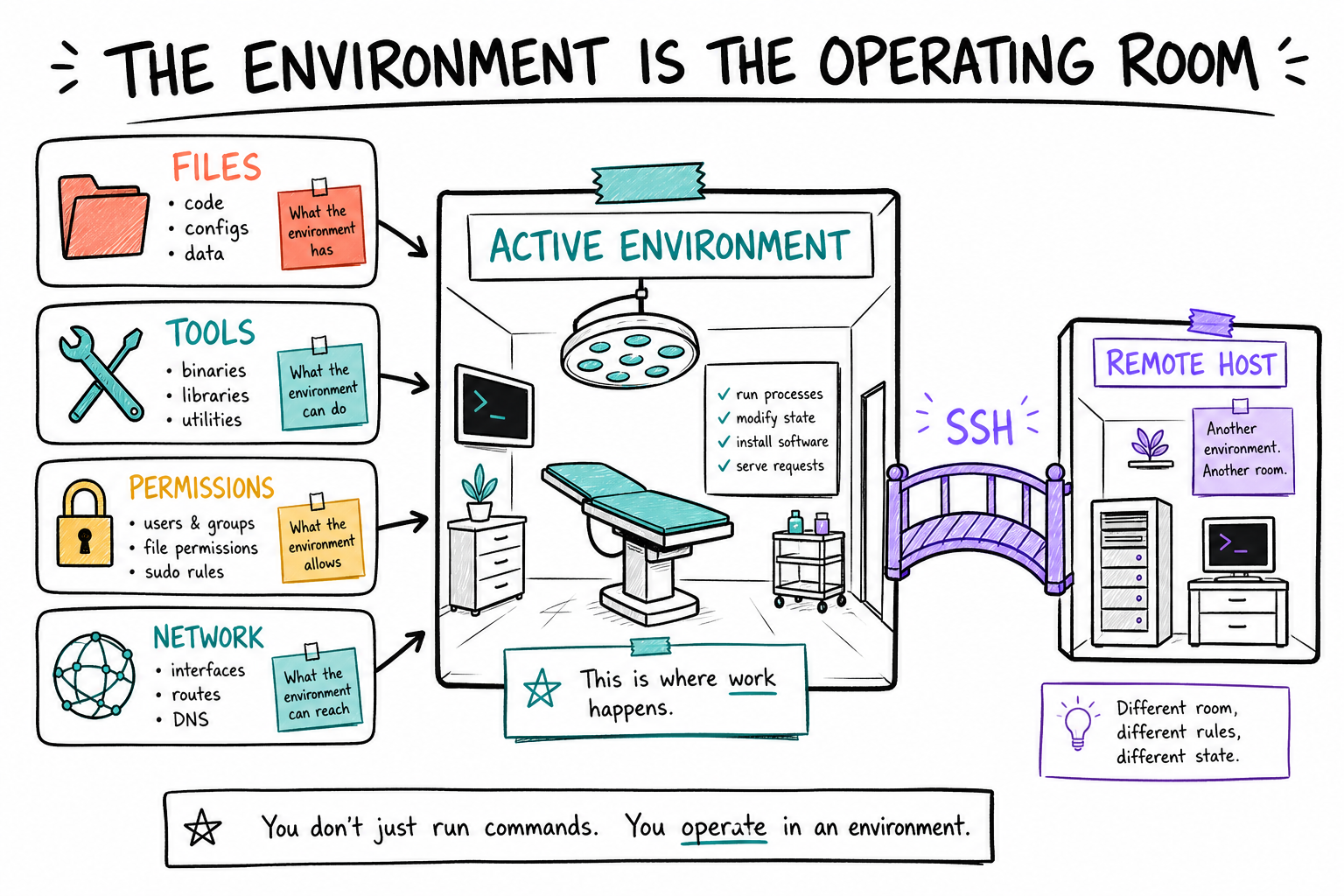
The active environment determines the filesystem, tools, credentials, network access, and compute that the agent sees by default. If a repo is mounted here, work here. If the repo and runtime live entirely on a remote machine, starting the task in that environment can be cleaner. SSH still works from either side when access is configured.
- Workspace means the primary files and write boundary for this task.
- Environment means machine plus tools, permissions, network, and credentials.
- SSH is a bridge from the current environment to another host.
- A task does not automatically inherit every remote machine's files or secrets.
Most jobs do not require manual switching
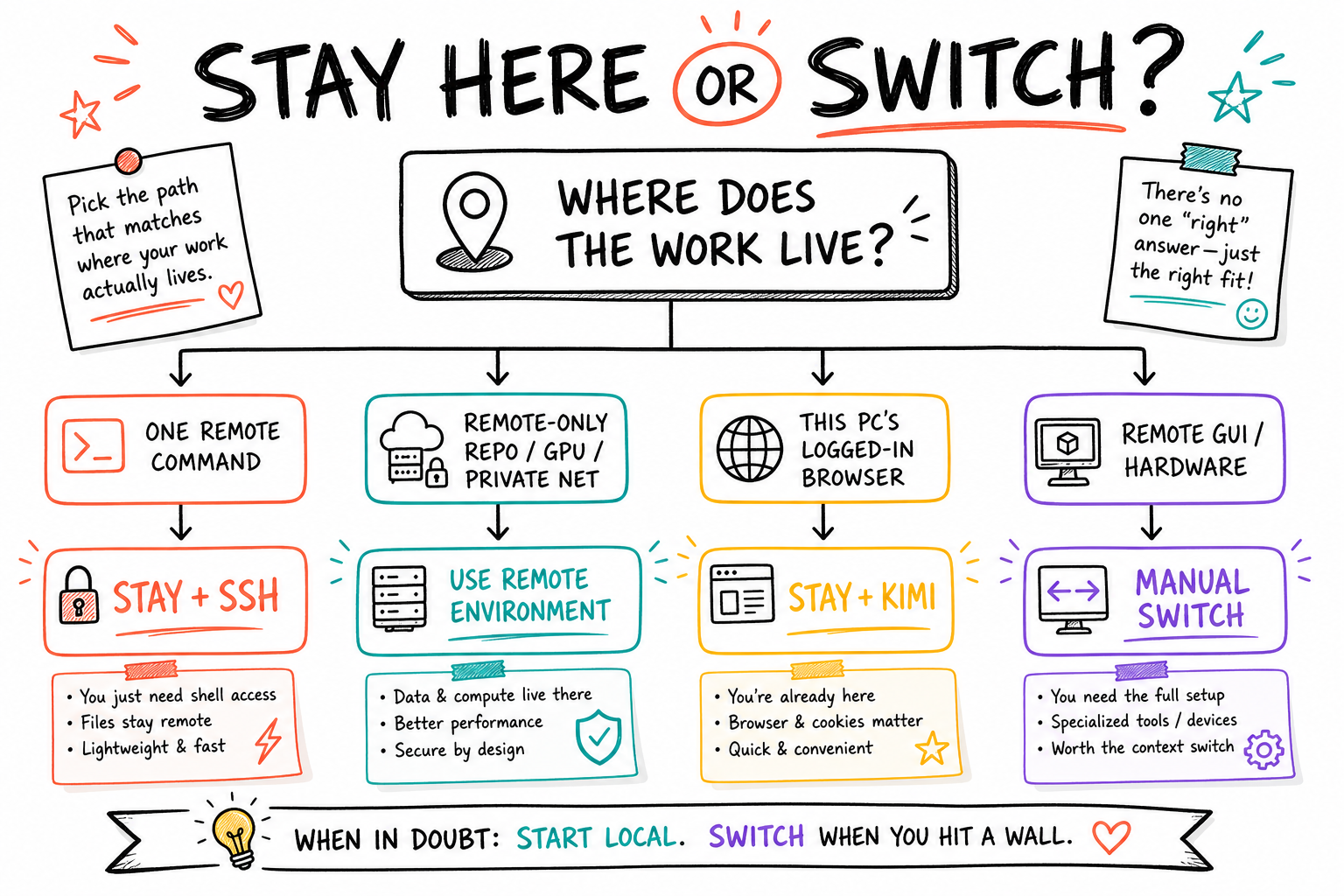
Stay in this task and use SSH for a bounded remote action, a deployment, a status check, or a detached build. Start or switch to the remote environment when you need sustained work against its local filesystem, its private network, its GPU, or its machine-local tools. Use the machine's GUI manually only when the task needs a desktop app, hardware interaction, or a login flow that remote command tools cannot safely perform.
- One remote command or deploy: stay here and SSH.
- Hours of repo work on remote-only files: use that environment.
- Browser work with this PC's sessions: use the Codex Chrome extension or Kimi WebBridge.
- Remote GUI or physical-device work: manually open that machine when needed.
Do this on <machine alias>. First decide whether this should run through SSH from here or inside that machine's environment. Use the lightest safe option, explain the boundary in one sentence, then execute and verify on the same machine.Pick the browser from the task requirements
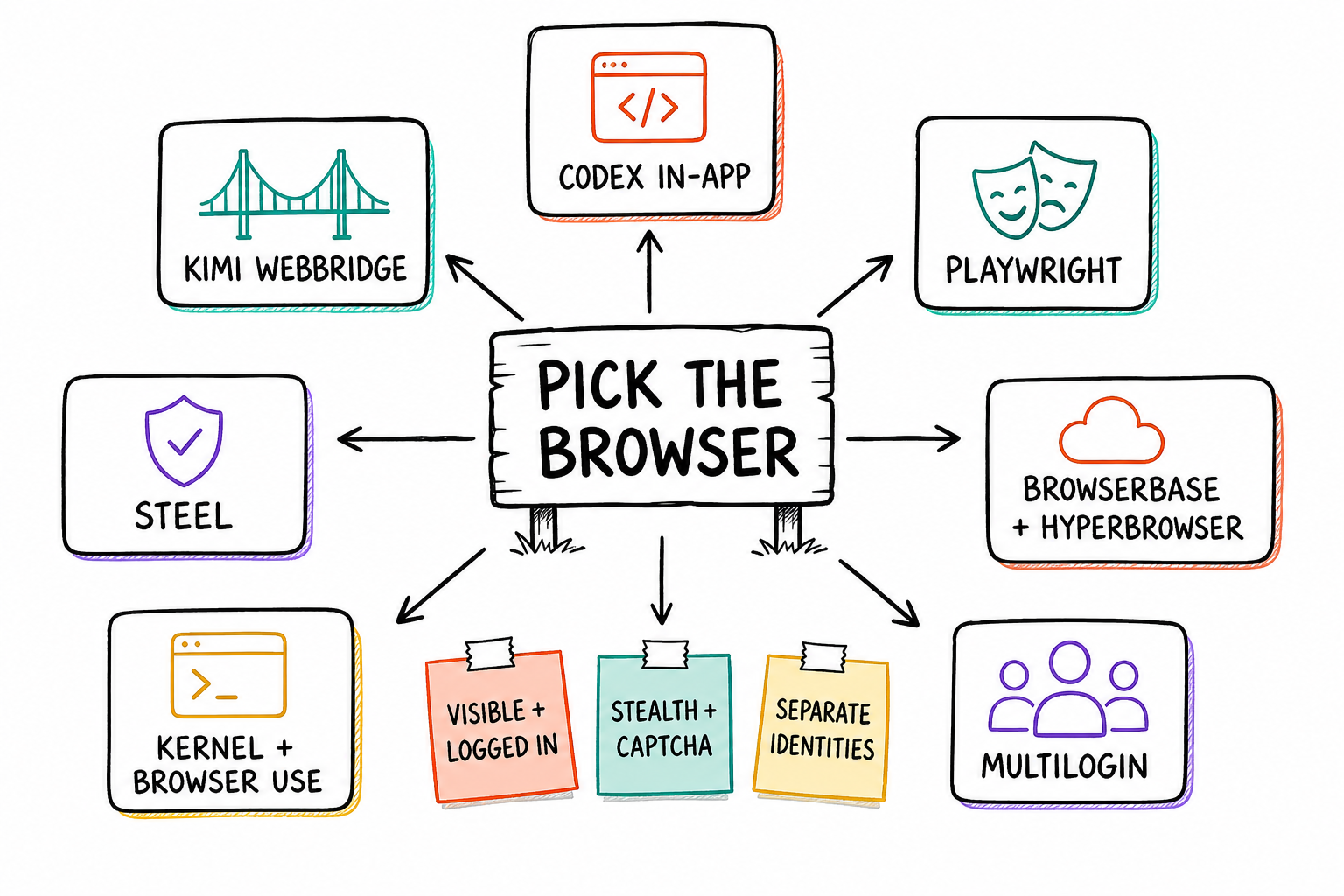
The browser stack has different lanes for visibility, authentication, proof, stealth, CAPTCHA, persistence, proxies, and separate identities. Codex can use its in-app browser for isolated visible work, or its Chrome extension to operate your existing Chrome tabs, logins, profiles, and extensions. Kimi WebBridge is another real-browser lane through its local daemon, with grouped task tabs, snapshots, CDP, network capture, screenshots, and PDF. Playwright and the cloud browser stack cover deterministic QA, anti-bot, proxies, persistence, and separate identities.
- Codex in-app browser: visible isolated work and deployed visual QA inside Codex Desktop.
- Codex Chrome extension: use your existing Chrome tabs, logins, profiles, and installed extensions.
- Kimi WebBridge: use the real browser through its local daemon, grouped tabs, snapshots, CDP, screenshots, and PDF.
- Playwright and cloud browsers: deterministic QA, CAPTCHA, geo, proxies, stealth, persistence, and separate identities.
Use the full browser stack for this task. Honor any browser I named. Otherwise choose between Codex in-app browser, Codex Chrome extension, Kimi WebBridge, Playwright, Steel, Browserbase, Hyperbrowser, Kernel, Browser Use, or Multilogin based on authentication, existing tabs, installed extensions, visibility, proof, stealth, CAPTCHA, proxy, persistence, and identity needs. Tell me the lane in one sentence, then execute.Kimi lets this task operate the browser you are already logged into
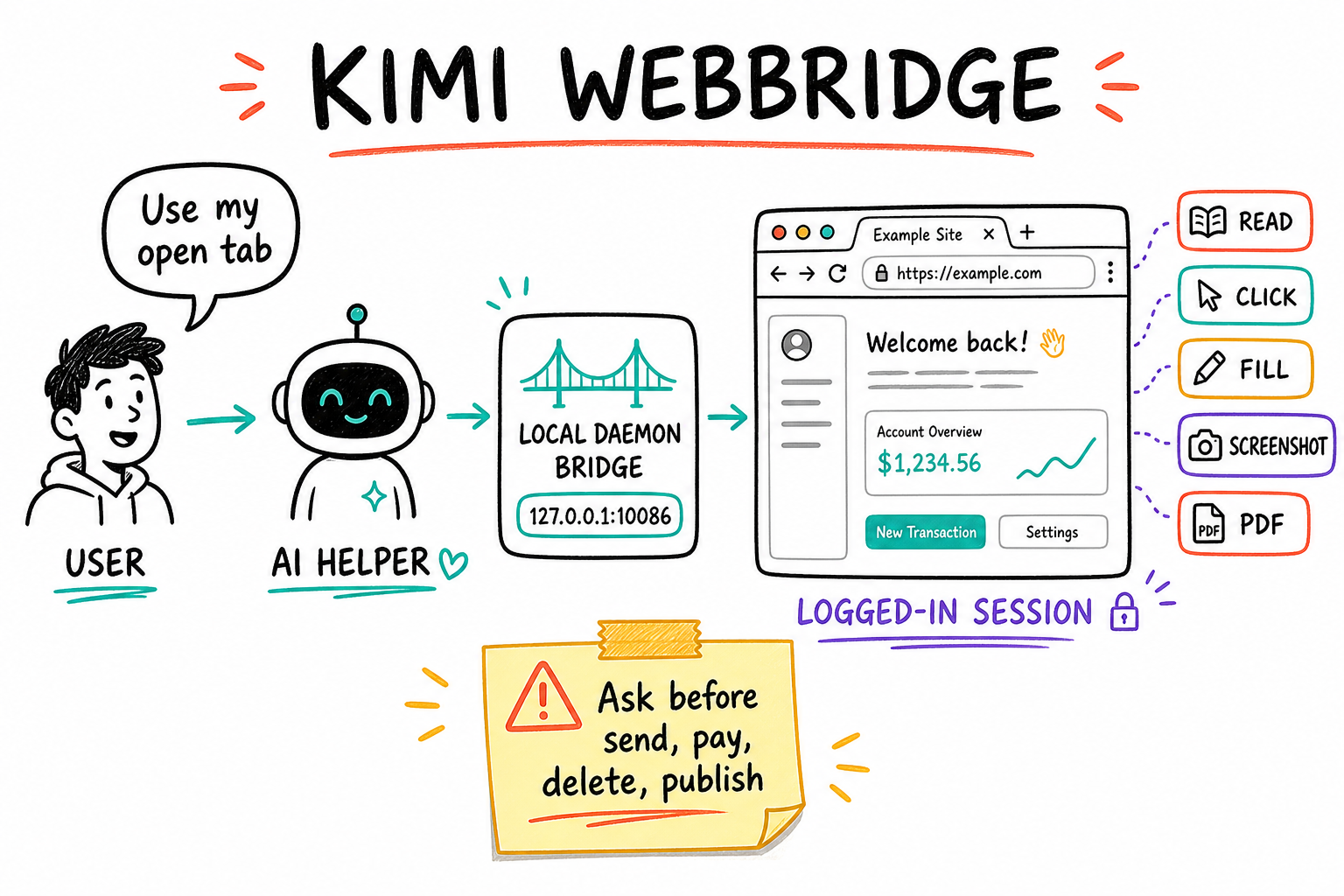
Ask in normal language: open a site, use your active tab, fill a form, download a report, take a screenshot, or save a page as PDF. Kimi groups tabs by task and works through the browser extension connected to the local daemon. It is browser control, not remote-machine control. The browser must be on the same machine as the running WebBridge daemon and extension.
- Say what site, what outcome, and whether to use your already-open tab.
- The agent can navigate, read, click, fill, upload, screenshot, and save PDF.
- Sensitive submissions, payments, deletions, and final sends still deserve an explicit confirmation boundary.
- Captchas and sites requiring trusted physical input may need your manual click.
Use Kimi WebBridge on the tab I am currently viewing. Read the page, summarize what needs attention, and stop before submitting or sending anything.Use Kimi WebBridge to open <URL>, complete <TASK>, and capture a screenshot proving the final state. Ask before any purchase, deletion, publish, or irreversible submit.Stay in one Codex task and tell it where the work belongs
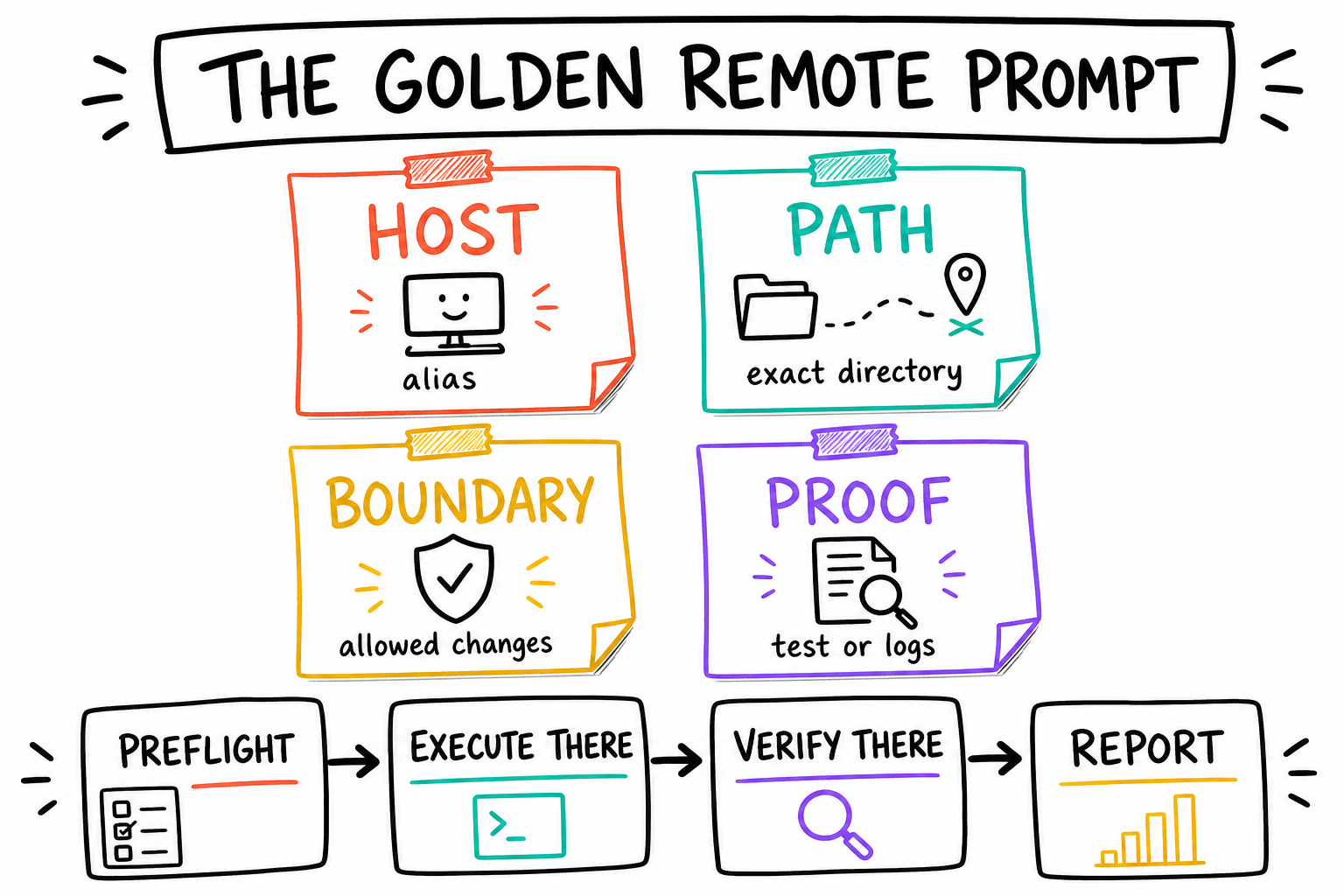
Open any Codex task and paste the work order below with real values. You do not need to switch environments manually for ordinary reachable SSH or Herdr work. Codex preflights the named host and path, chooses the requested persistence lane, executes on that machine, verifies there, and returns evidence. You can also speak naturally: "Go to vps1, work only in /srv/app, deploy it detached, and show me the live health check."
- 1. Replace every bracketed field. A named host and exact path remove guesswork.
- 2. Use foreground for quick work, Herdr for persistent work, or let Codex choose safely.
- 3. State what may change and what must not. Codex preserves unrelated dirty work.
- 4. DONE WHEN defines the remote proof: tests, logs, process state, URL, screenshot, or git evidence.
HOST: <ssh alias or environment>
PATH: <exact remote path>
GOAL: <outcome>
BOUNDARY: <what may change and what must not>
PERSISTENCE: <foreground, Herdr, service, or tmux fallback>
DONE WHEN: <tests, process state, URL, logs, screenshot, or git evidence>

Preflight the host and path, execute there, verify there, and report concise evidence.Go to SSH host vps1 and work only in /srv/my-app. Deploy the current branch without changing secrets or unrelated services. Use Herdr so it survives disconnects. It is done when the production health endpoint returns 200 and you show me the remote git status, deployment URL, and final logs.